Usage
Two URL shapes, one optional landing page per survey, and an optional per-survey answer allowlist. Everything below is pulled from the project README — edit there if you want to change wording.
What it looks like in a newsletter
What did you think of today's newsletter?

[Awesome!](https://q.ssp.sh/2026-06-04/awesome)
[Pretty Good](https://q.ssp.sh/2026-06-04/good)
[Could be better](https://q.ssp.sh/2026-06-04/better)
[Worse](https://q.ssp.sh/2026-06-04/worse)

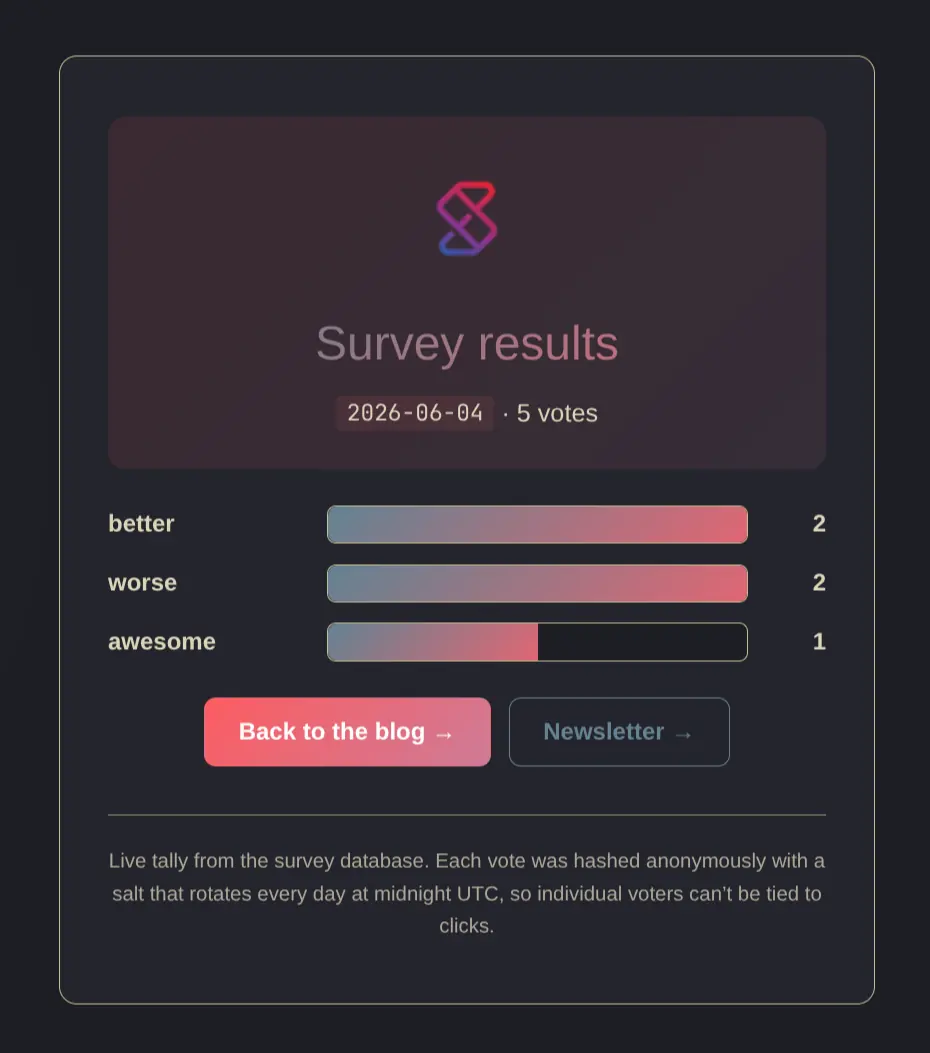
See the live tally → https://q.ssp.sh/result/2026-06-04
The path shape is https://<host>/<survey_id>/<answer>:
<survey_id>identifies the newsletter issue (e.g. an ISO date like2026-06-04, or a slug likeweekly-42).<answer>is whichever rating you want to record for that click (awesome,good,better,worse,meh, …).
Both slugs are free-form, validated against ^[a-z0-9][a-z0-9_-]{0,63}$,
so the next newsletter can use entirely different survey_id and answer
slugs without any code or schema change. Each click records one vote and
redirects to a “Thanks!” page.
The legacy URL shape https://<host>/survey/<survey_id>/<answer> is kept
working so links shipped in past newsletters don’t 404 — new newsletters
should use the shorter /<survey_id>/<answer> form.
Locking answers per survey (optional, per-newsletter)
By default the server records any vote whose URL matches the slug regex — useful when you want full flexibility to invent new answer slugs per newsletter without touching code, env vars, or remembering to pre-register.
For surveys where you want to lock the answer space to a known set (stops URL-fuzzers and curious readers from inventing slugs), register the allowed answers once before sending the newsletter:
make survey-create SURVEY_ID=2026-06-15 ANSWERS=awesome,good,better,worseThat writes a row into the surveys table via the same Quack channel as
survey-result and survey-reset (same SURVEY_QUACK_TOKEN,
RAILWAY_QUACK_HOST, RAILWAY_QUACK_PORT). From that moment on, only the
listed answers count for that survey_id. Anything else returns 200 (so
the click still “succeeds” from the browser’s perspective) but no row is
written. The skip is logged:
answer-reject survey_id=2026-06-15 answer=bananaSo the four “official” markdown links keep working:
[Awesome!](https://q.ssp.sh/2026-06-15/awesome)        ← counted
[Pretty Good](https://q.ssp.sh/2026-06-15/good)        ← counted
[Could be better](https://q.ssp.sh/2026-06-15/better)  ← counted
[Worse](https://q.ssp.sh/2026-06-15/worse)             ← counted
While these silently don’t:
https://q.ssp.sh/2026-06-15/banana       ← rejected, logged
https://q.ssp.sh/2026-06-15/not-a-vote   ← rejected, logged
The default is still wide open — if you skip survey-create, that
survey behaves like it always has (any slug-valid answer counts). Mix and
match per newsletter:
# Important poll: lock it down
make survey-create SURVEY_ID=quarterly-review ANSWERS=keep,change,unsubscribe

# Quick experiment: skip survey-create, accept whatever
# (just send the markdown links and go)
Re-running survey-create upserts the row, so editing the allowed set is
just a re-run with new ANSWERS=….
make survey-create prints a ready-to-paste block:
Landing page (share this URL):
  https://q.ssp.sh/2026-06-15

Markdown links to paste into your newsletter:

  [Awesome](https://q.ssp.sh/2026-06-15/awesome)
  [Good](https://q.ssp.sh/2026-06-15/good)
  [Better](https://q.ssp.sh/2026-06-15/better)
  [Not Sure](https://q.ssp.sh/2026-06-15/not-sure)
  [Worse](https://q.ssp.sh/2026-06-15/worse)

Live tally page:
  https://q.ssp.sh/result/2026-06-15
Override the host with make survey-create … PUBLIC_URL=https://your.host
(default is https://q.ssp.sh).
Landing page (registered surveys only)
https://<host>/<survey_id> — and the alias /survey/<survey_id> —
renders a small page with a vote button per allowed answer. Useful for
sharing one URL in a tweet/post instead of all four. Slug → label
conversion: not-sure → Not Sure.
Only works for surveys registered via make survey-create. Unregistered
(open-mode) surveys 404, so there’s no wildcard landing page for “guess
any slug”.
Per-survey results page
https://<host>/result/<survey_id> renders a small HTML page with a CSS
bar chart of the tally — same design as the /thanks page. The Go
handler reads from DuckDB and renders the bars server-side, so there’s no
DuckDB-WASM and no query interface exposed to the browser. Whoever knows
the survey_id slug can view its results; nobody else can poke at the
DB. Marked noindex so it doesn’t end up in search engines.
See q.ssp.sh/result/init/ as an example: